Add your promotional text...

Welcome to the Rhino Online Designer! 🦏
A Quick & Easy to follow quide on using OPENBUILDS CAM on our website.
Juan Botha
1/23/20261 min read
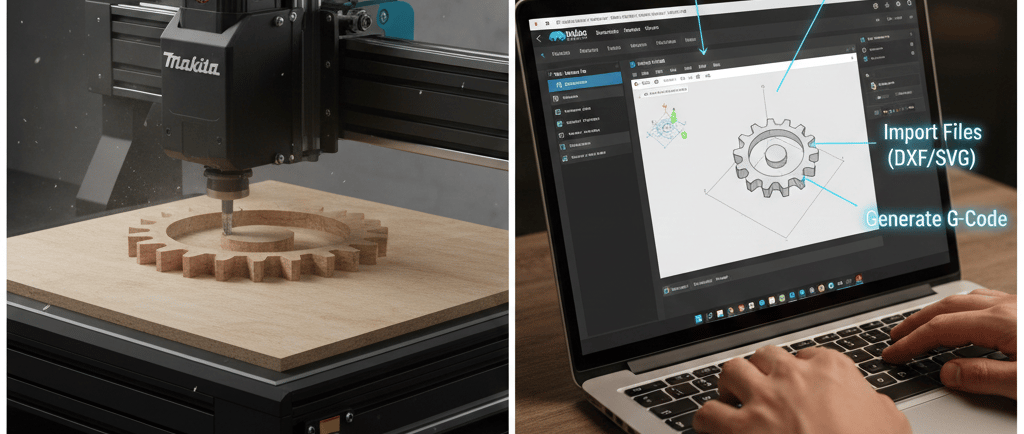
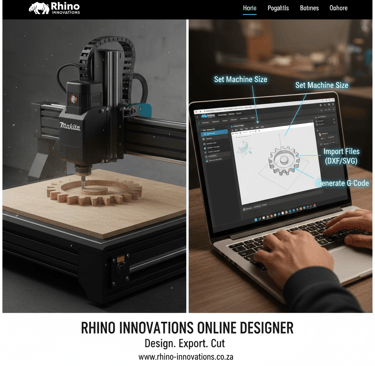
Design. Export. Cut. It’s that simple.
We’ve integrated this powerful, cloud-based CAD/CAM tool directly into our site to help you get from an idea to a finished project in record time. Whether you are using the Rhino Craft or one of our RHINOCUT Pro machines, this tool handles the hard work of generating your G-Code.
How to create your first project in 4 easy steps:
1. Set Your Workspace
Click on the "Settings" tab (the gear icon) or look for "Machine Size" in the top menu.
Set your workspace to match your machine (e.g., 500mm x 500mm for the Small Rhino Craft).
2. Import or Draw
Import: Click the "Open" button to upload a DXF, SVG, or even a simple image (like a logo).
Draw: Use the text and shape tools on the left toolbar to design directly in the window.
Use a Wizard: Click the "Wizards" button at the top! Use the Hello World wizard for text or the Surfacing wizard to level your wasteboard.
3. Define Your Toolpath
Select your drawing and click "Create Toolpath."
Choose your bit (e.g., Double Flute End Mill) and set your depth.
Tip: If you aren't sure which bit to use, check out our [Bit Guide Blog Post]!
4. Export Your G-Code
Click "Generate G-Code" and then "Save G-Code to File."
Open this file in your machine controller (like CNCjs or gSender), and you are ready to cut!
💡 Pro Tips for Rhino Users:
Safety First: Always double-check your "Safety Height" in the toolpath settings to ensure your bit clears your clamps when moving.
Makita Settings: For the Makita M3700B, we recommend starting with a conservative feed rate while you get used to the material.
No Install Needed: This designer runs entirely in your browser. No heavy software to install—just bookmark this page!
Need help?
If you get stuck or need advice on a specific project, our local support team is just a call away. 📞 064 678 1875 🌐 www.rhino-innovations.co.za
Contact
Phone
© 2025. All rights reserved.
CONTACT ME